Agent with generative UI on top of SAP CAP project
The release of the official CAP MCP adapter was a good trigger for me to try a few additional things. Previously we were using Gavdi's plugin, and I wanted to compare its behavior with a more “native” approach, since the official adapter runs closer to the framework core. It was also an opportunity to try out new things like CopilotKit and the latest A2A (1.0.0).
CopilotKit is “the frontend stack for agentic user experience” and provides out-of-the-box components like chat, which works through a dedicated runtime and the AG-UI protocol with your agent.
The A2A protocol is an open standard for agent collaboration.
This article presents the overall approach; the next one will focus on implementation details.
The Background
The project previously enriched with MCP is a kind of reporting service, originally designed to expose OData V4 services with denormalized, combined data from another project (where the maintenance and business logic live). Technically, it’s a CAP project with a single service, connected to the source project’s HDI container in read-only mode (via hdbsynonym).
“Why share a database? It’s bad.”
Because our team owns both projects, which share the same domain, and DB access beats any API access. We still benefit from separation at the service level and independent development and deployment cycles.
Service + MCP
Switching from @gavdi/cap-mcp was pretty straightforward. The native CAP adapter is just
another protocol, so the main change was to add mcp to the @protocol annotation, along with
additional doc comments. No tailored,
MCP-specific service was required, as the original one fit perfectly.
Agent with benefits
With MCP enabled, the next idea was to add an agentic endpoint so that, instead of querying via the OData API, you can ask for information in natural language. I wanted this agent endpoint to support the agent-to-agent (A2A) protocol 1.0.0.
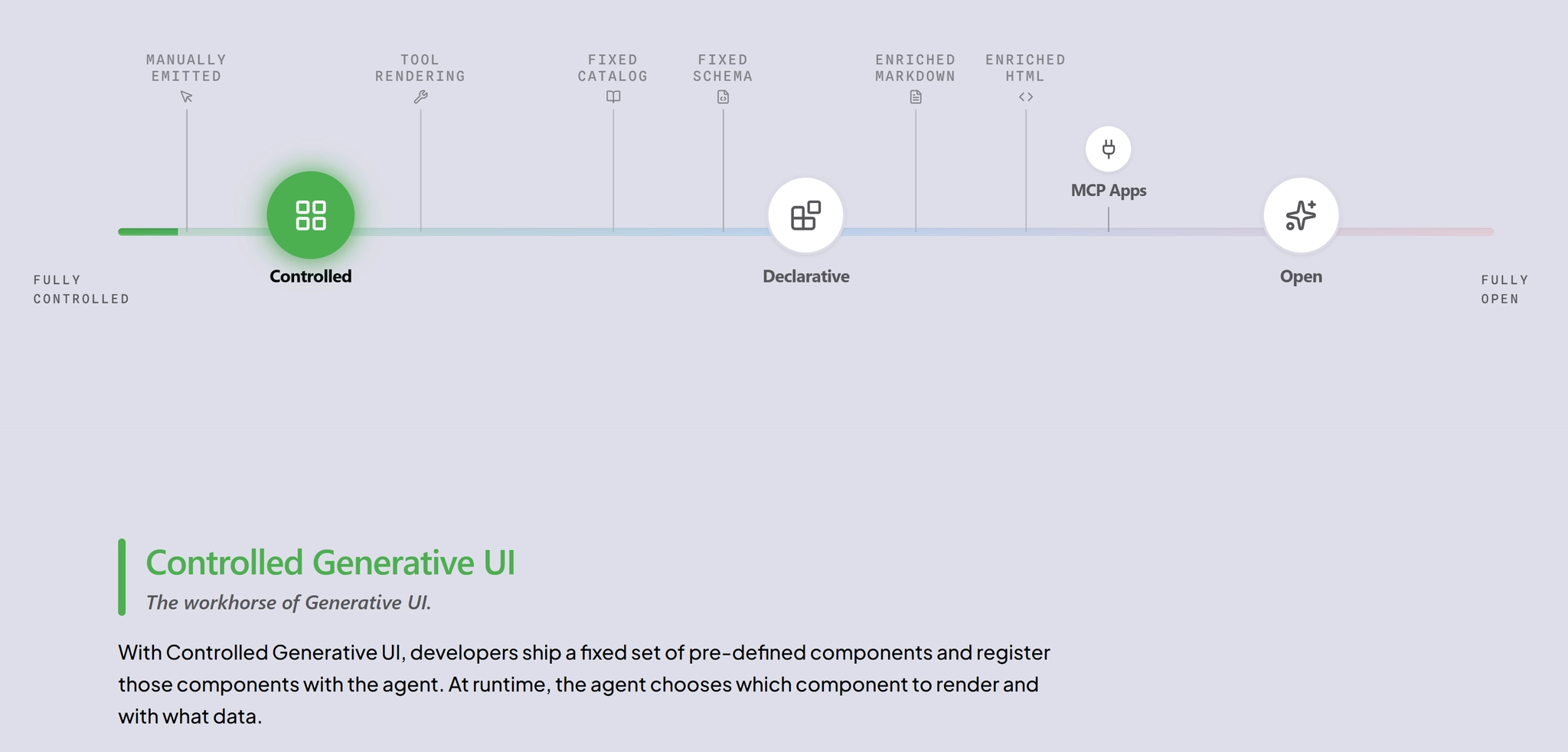
Since it’s also nicer to communicate via chat and to have visualizations, I decided to use something built for that purpose. The choice was CopilotKit and its generative UI approach (controlled UI).
The structure
The solution was split into three different components on top of the CAP project:
- agent
- agent-chat
- copilot-runtime
All of them are separate modules in the MTA descriptor.
Agent
Here I chose LangChain (Python). I initially started with TypeScript, but after some time I had enough - many examples were Python-first, especially around CopilotKit. Since runtime languages can be independent in an MTA, switching was easy and it’s better supported.
LLM access is done via the SAP AI SDK, as we use SAP AI Core + SAP AI Launchpad.
Because the agent must handle three use cases—(1) access via a bare HTTP call, (2) handling
A2A requests (acting as an A2A server), and (3) cooperating with the CopilotKit runtime—the
module includes an additional FastAPI server. It implements an AgentExecutor,
creates an AgentCard (both coming from the A2A SDK for Python), and registers the required endpoints.
It also registers a dedicated endpoint for CopilotKit events; here the original agent
graph is wrapped into a LangGraphAGUIAgent from the CopilotKit SDK.
Why not cap-js/agents?
When I started, it wasn’t available (published on 14.08). Now it exists, but it’s experimental, still on A2A 0.3, and it uses a declarative approach—while for CopilotKit you need to plug the agent graph into their SDK artifacts. It will definitely be useful in CAP projects; under the hood it also uses LangChain and I hope there will be interface to "plug" the created graph into other things as well or tune it in a programmatic way.
Runtime for CopilotKit
CopilotKit uses a dedicated runtime for AG-UI protocol events. The runtime is built with
the CopilotKit TypeScript SDK and, in my case, it’s a simple Hono server with token validation.
The runtime is wired to the agent via URL (thanks to MTA provides/requires, it’s resolved
during deployment in the correct order).
Agent Chat
The UI is a React page with <CopilotChat />. It has an app router in front of it. It uses
the controlled UI approach, which means the agent can generate UI components.
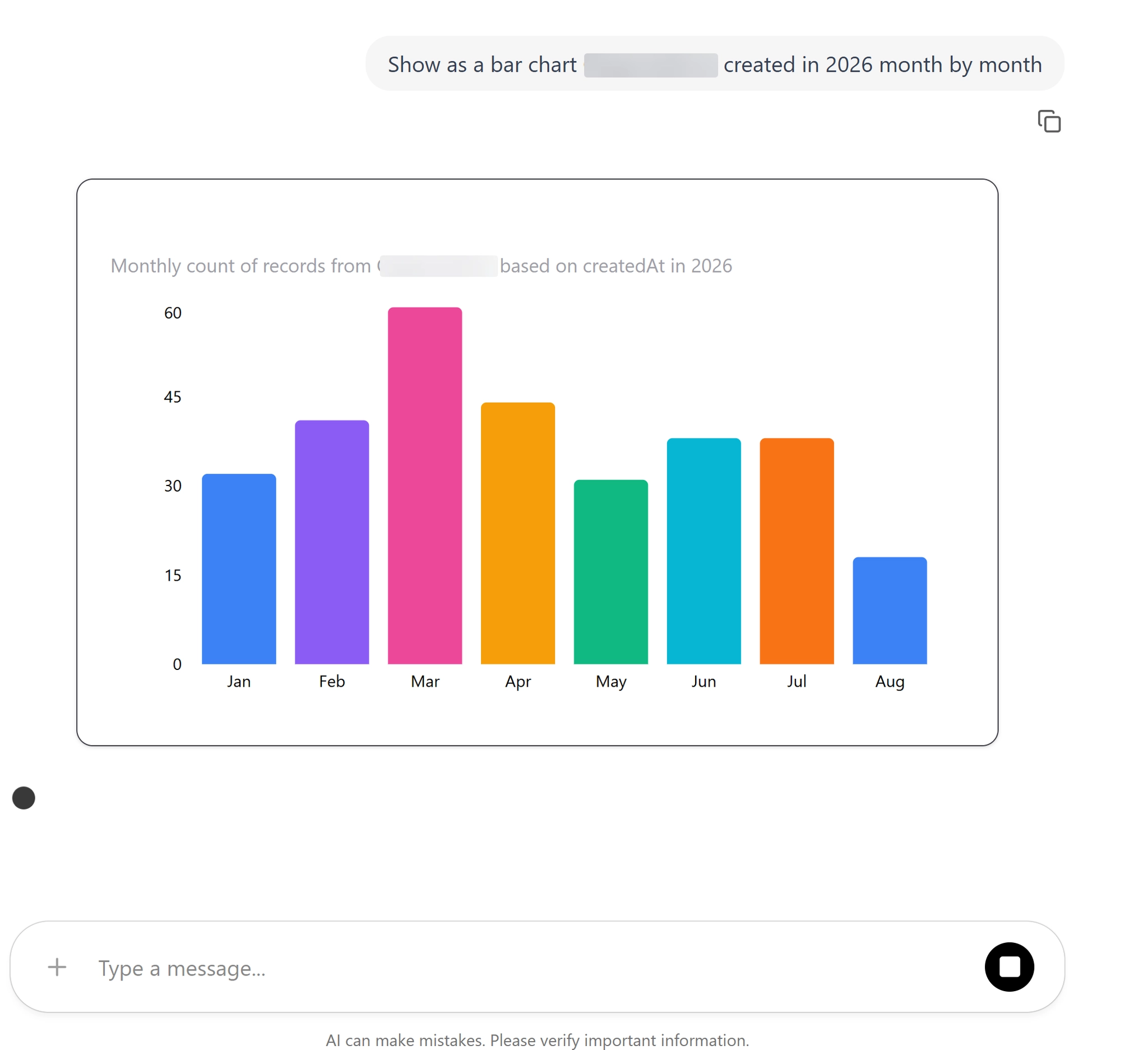
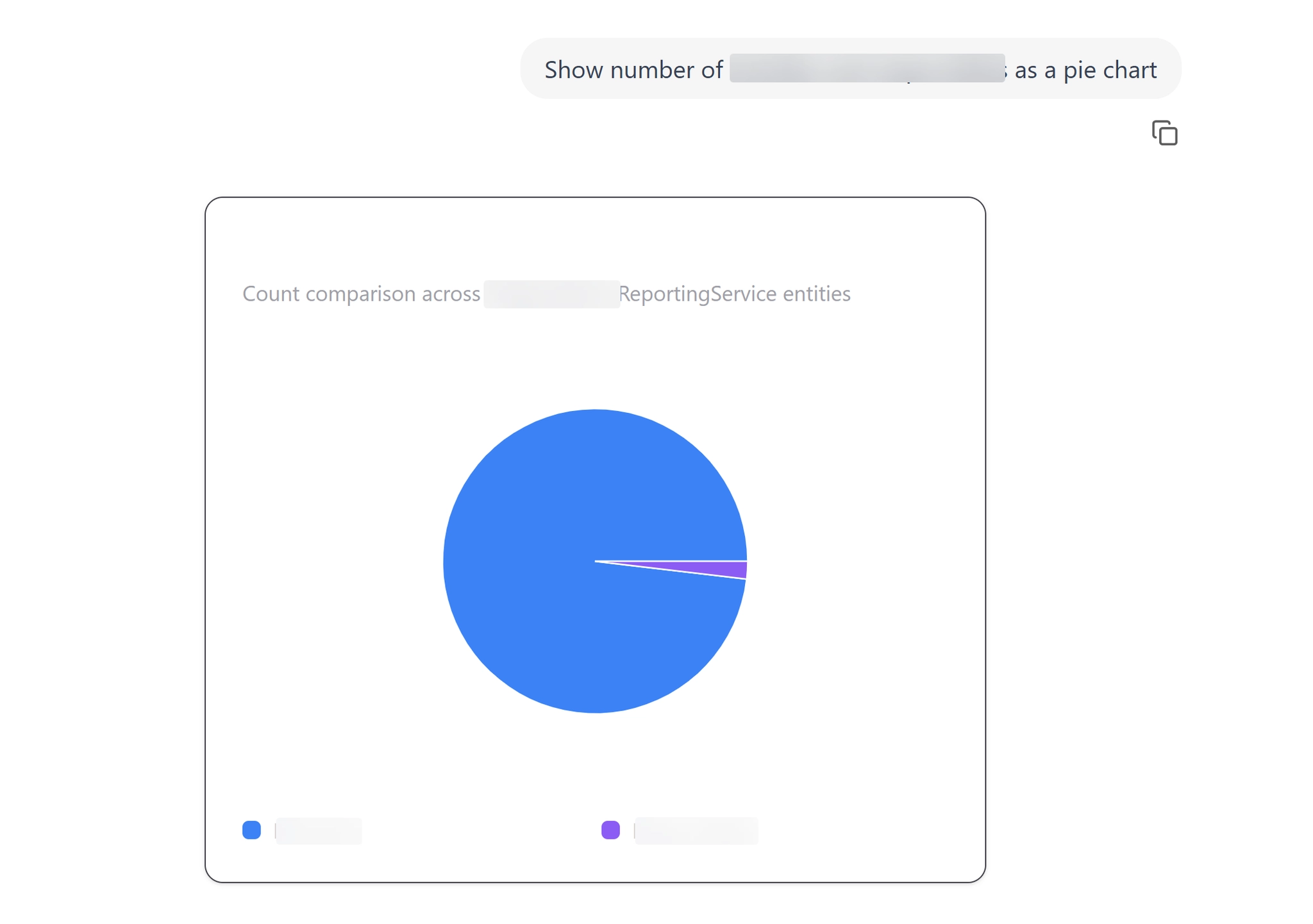
The components are registered in the UI App:
export default function App() {
  useComponent({
    name: "pieChart",
    description: "Controlled Generative UI that displays data as a pie chart.",
    parameters: PieChartProps,
    render: PieChart,
  });

  useComponent({
    name: "barChart",
    description: "Controlled Generative UI that displays a bar chart.",
    parameters: BarChartProps,
    render: BarChart,
  });

  // more components
Definitions are like:
export const PieChartProps = z.object({
  title: z.string().describe("Chart title"),
  description: z.string().describe("Brief description or subtitle"),
  data: z.array(
    z.object({
      label: z.string(),
      value: z.number(),
    }),
  ),
});

type PieChartProps = z.infer<typeof PieChartProps>;

export const PieChartProps = z.object({
  title: z.string().describe("Chart title"),
  description: z.string().describe("Brief description or subtitle"),
  data: z.array(
    z.object({
      label: z.string(),
      value: z.number(),
    }),
  ),
});

type PieChartProps = z.infer<typeof PieChartProps>;

export function PieChart({ title, description, data }: PieChartProps) {
  if (!data || !Array.isArray(data) || data.length === 0) {
    return (
      <div className="rounded-xl border dark:border-zinc-700 shadow-sm p-6 max-w-lg mx-auto my-6 bg-[var(--background)]">
        <div className="mb-4">
          <h3 className="text-xl font-bold dark:text-white">{title}</h3>
          <p className="text-sm text-gray-600 dark:text-zinc-400">
            {description}

 ...
This approach is not the one MCP apps use (iframe), and it provides the highest level of integration—something I currently want to explore. I don’t believe in slogans like “all UI will be AI UI”, but controlled UI embedded into a page (with a chat/agent as a sidebar or popup), dynamically inserting or updating parts of the page, is something I’d like to test in practice.
The agent also shows a summary of how the result was achieved, which is helpful for “checking” the applied logic.
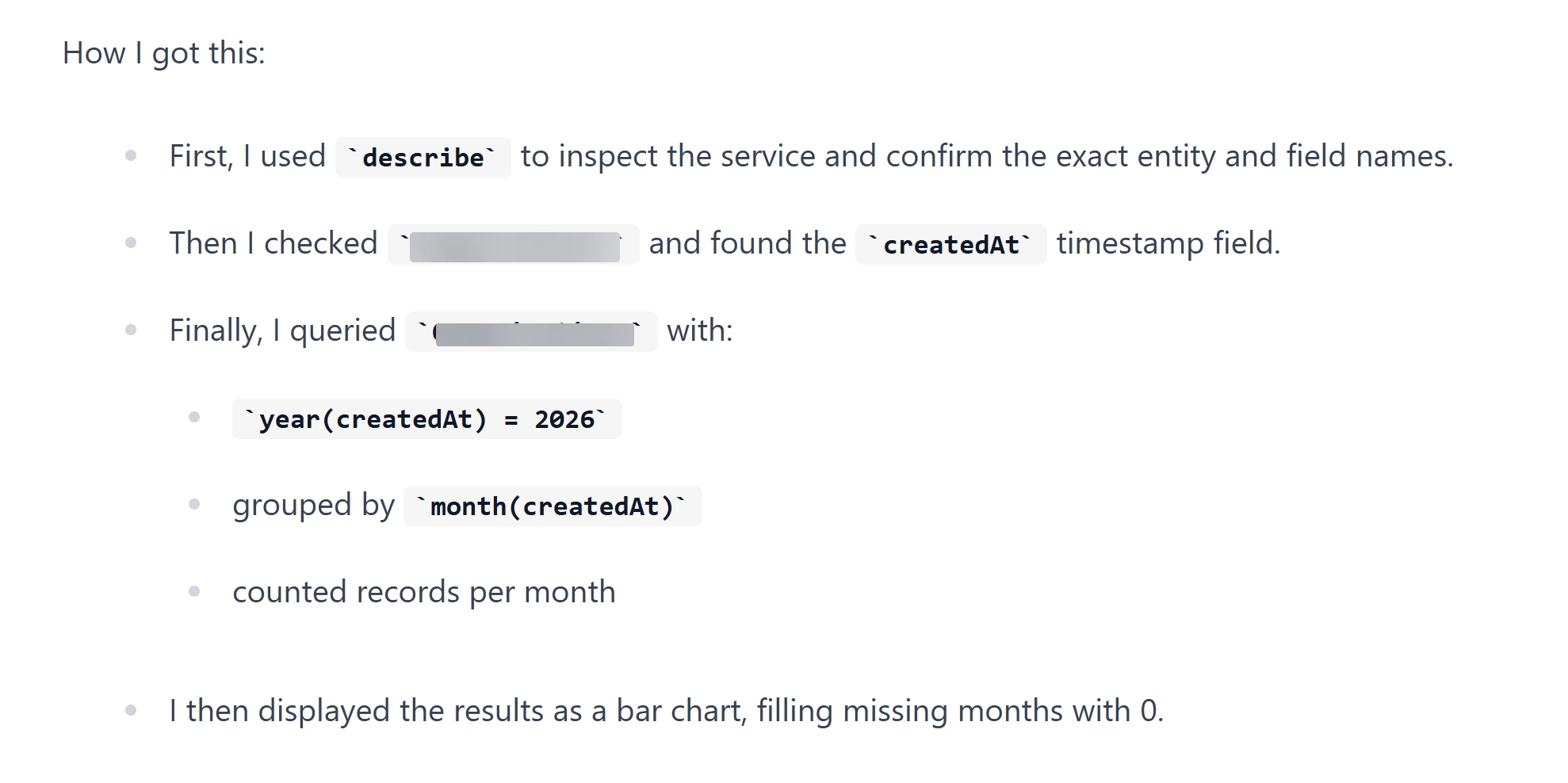
This is thanks to the system prompt passed into the LangChain graph:
SYSTEM_PROMPT = """
You are a helpful data analyst assistant with access to a CAP (Cloud Application Programming) MCP server.

IMPORTANT RULES:
- Always call the 'describe' tool FIRST to learn the exact service and entity names.
- Use the EXACT service and entity names as returned by the 'describe' tool — never guess or abbreviate them.
- If a tool call returns an error, do NOT retry with a guessed name. Re-read the model description and use the correct name.
- After you get a result, provide a concise summary of how you got the answer, including a short description of the queries used.
- ...and more rules
"""
Authentication
All modules are protected by XSUAA and include built-in token validation, so none of the endpoints are open. The A2A card advertises the required auth scheme for communication.
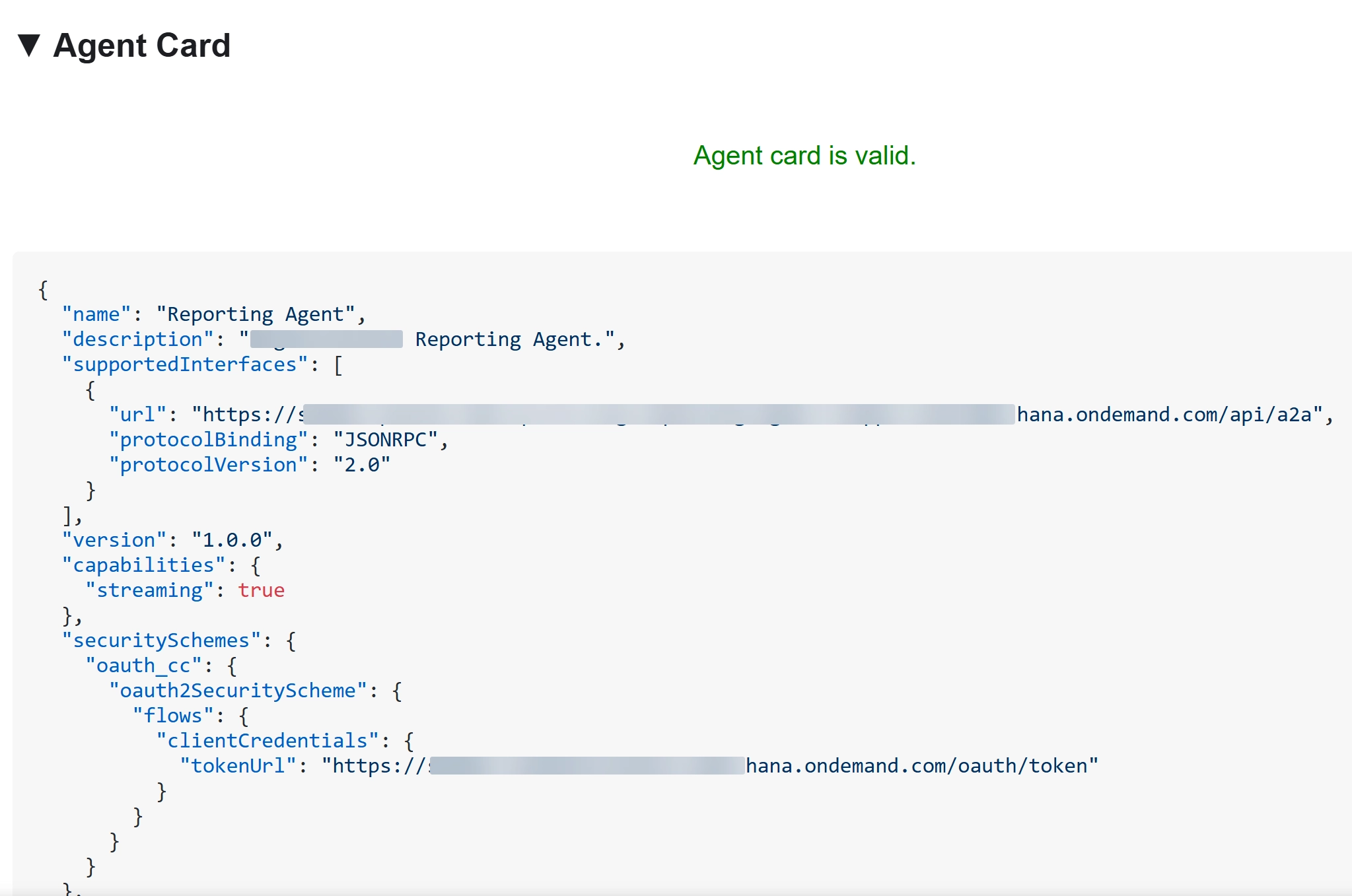
What’s important is that MCP endpoints exposed by CAP reuse the auth of your service. I wanted to rely on MCP client logic to handle the OAuth flow, but it didn’t work with XSUAA, so a custom implementation was needed.
Final remarks
- During development, many AI-generated code suggestions were wrong or outdated.
- Auth schemes can be challenging and are easy to miss on some endpoints.
- MTA is great for packaging everything and passing required environment variables between
dependent components;
cfenvis helpful for getting the right URLs. - A Python-first approach for AI was a good decision.


