Agent with generative UI on top of SAP CAP project - MCP Apps
In the previous post, I shared the approach I used for generative UI on top of an SAP CAP project. My choice was CopilotKit and the controlled UI approach. This time, I wanted to try out using MCP apps as well, so the agent could be enhanced with a new capability and use it when asked or when it made sense.
Agent evolves
I refactored the agent from a pure LangChain/LangGraph setup to deep agents. The initial capabilities and middleware stack fit our use case very well, including additional middleware and HITL cases. It also has a persistent checkpointer using SAP HANA.
MCP Apps in CopilotKit
This time, we are moving far to the right on the generative UI spectrum:
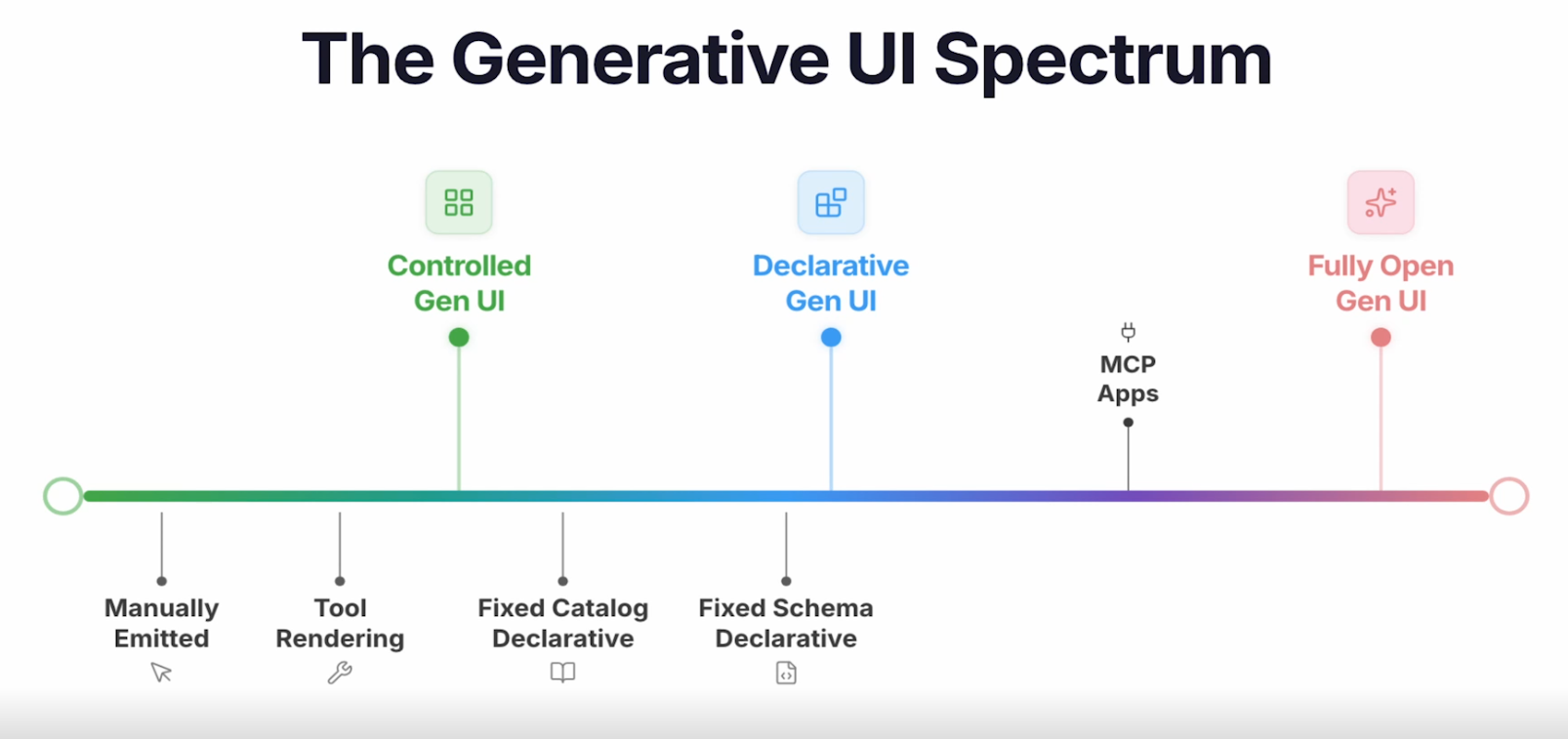
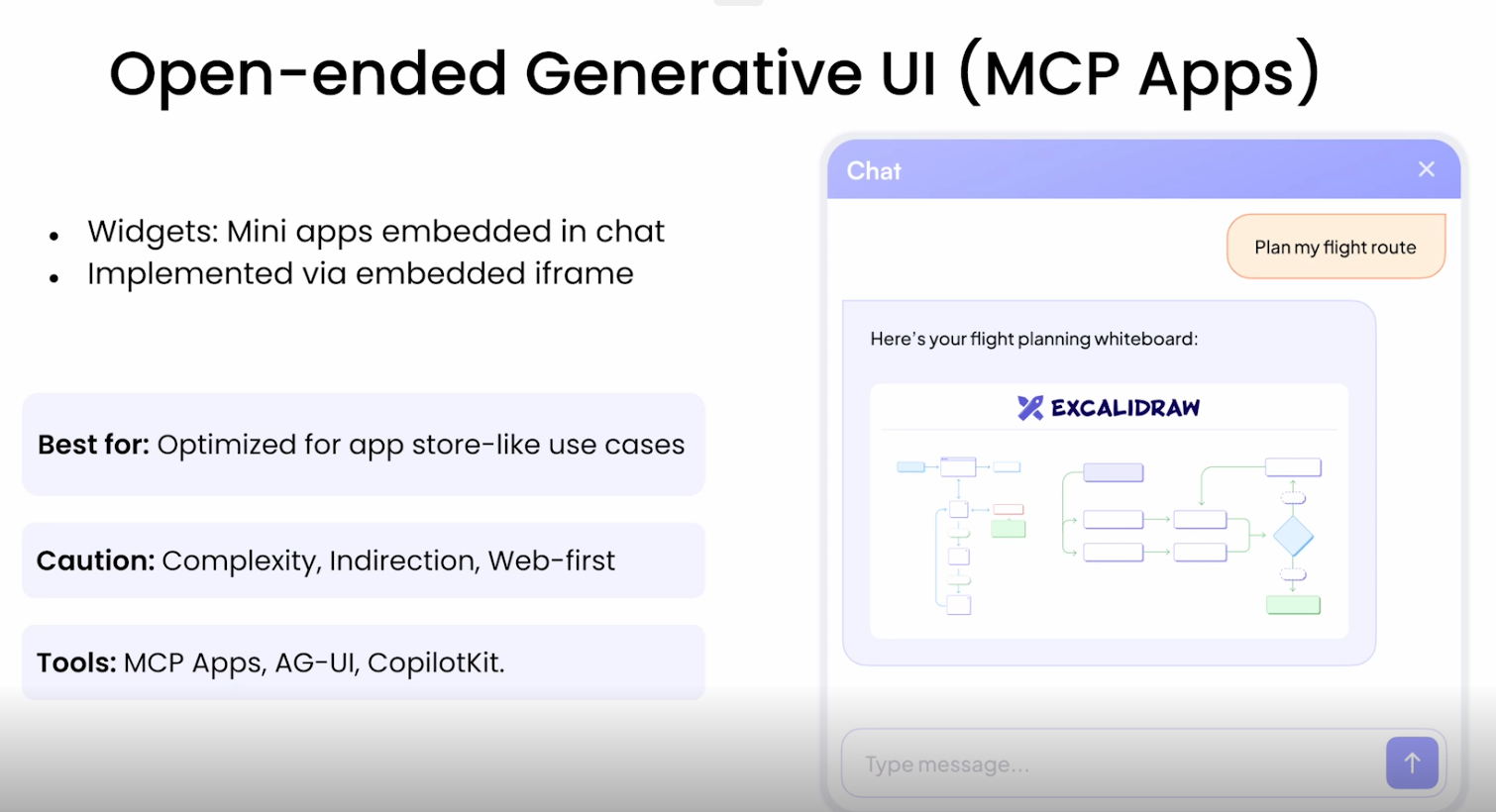
CopilotKit creators call this approach "open-ended generative UI". With MCP apps, you get a remote UI sanboxed - which means embedded in a good old iframe. Someone is hosting such an MCP app server, and you can bring it into your UI.
Integration
First of all, I did not want to create my own MCP server for the test; I wanted to
use something I do not own and cannot modify directly. Following the CopilotKit
examples, I used the Excalidraw
open-source MCP hosted at mcp.excalidraw.com.
The whole integration was pretty short, honestly. Only a few lines of code needed to
change in the copilot-runtime module to add the mcpApps:
const runtime = new CopilotRuntime({
  agents: { default: langGraphAgent },
  runner: new InMemoryAgentRunner(),
  mcpApps: {
    servers: [
      {
        type: "http",
        url: "https://mcp.excalidraw.com",
        serverId: "example_mcp_server",
      },
    ],
  },
});
Next, the system prompt had to be enriched with some guidelines:
SYSTEM_PROMPT = """
...

RULES - EXCALIDRAW:

- Use Excalidraw only after the CAP MCP calls have returned the requested data.
- Do not add decorative or duplicate elements, separate text elements, or optional/
default Excalidraw properties such as seed, version, boundElements, groupIds, or
opacity. Use only the elements needed to represent the user's requested diagram.
- The whiteboard must contain the actual returned values, not placeholders or empty
shapes.
- For relationships, create separate labeled rectangles for each entity and a labeled
arrow or connector between them. Include the relationship meaning when it is known.
- Remember you're on a Cartesian plane: place shapes at distinct coordinates and account
for the size of cards and labels.
...
<and more>
"""
Results
Now, in the chat, the agent can be asked to show the results on a whiteboard:
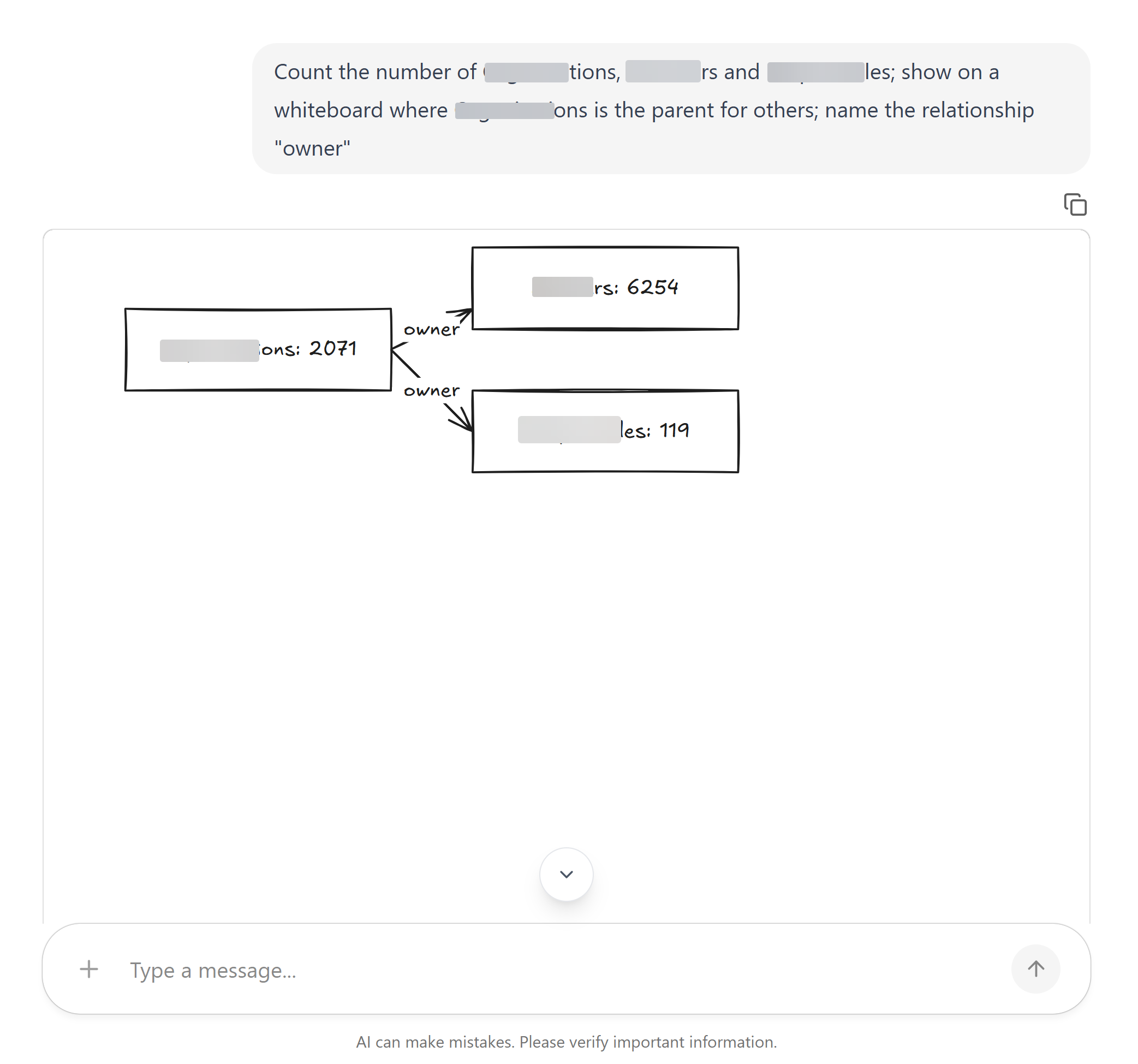
But the results were very shaky, so getting such a result was not a one-shot task. This is a free and open-source server, so I did not expect superb results. The greatest benefit was how easily this functionality could be plugged into the existing agent stack.


